Building the Tools Behind Smarter Robots
Aniai · 2024 – 2025
A robotics startupAniai; a startup specialized in kitchen automation that handles development through operation needs reliable tools for collaboration.
As a founding product designer, I helped build internal tools used across the company. These tools support how robots are built, tested, and deployed.
Robots handle delicate tasks. Even a few millimeters of deviation can mean failure, so robots go through multiple rounds of testing before deploying.
Testing requires firmware configured for specific test conditions. Creating this firmware previously required a software engineer to edit the codebase, so anyone running a test ran on SWE's schedule, not their own.
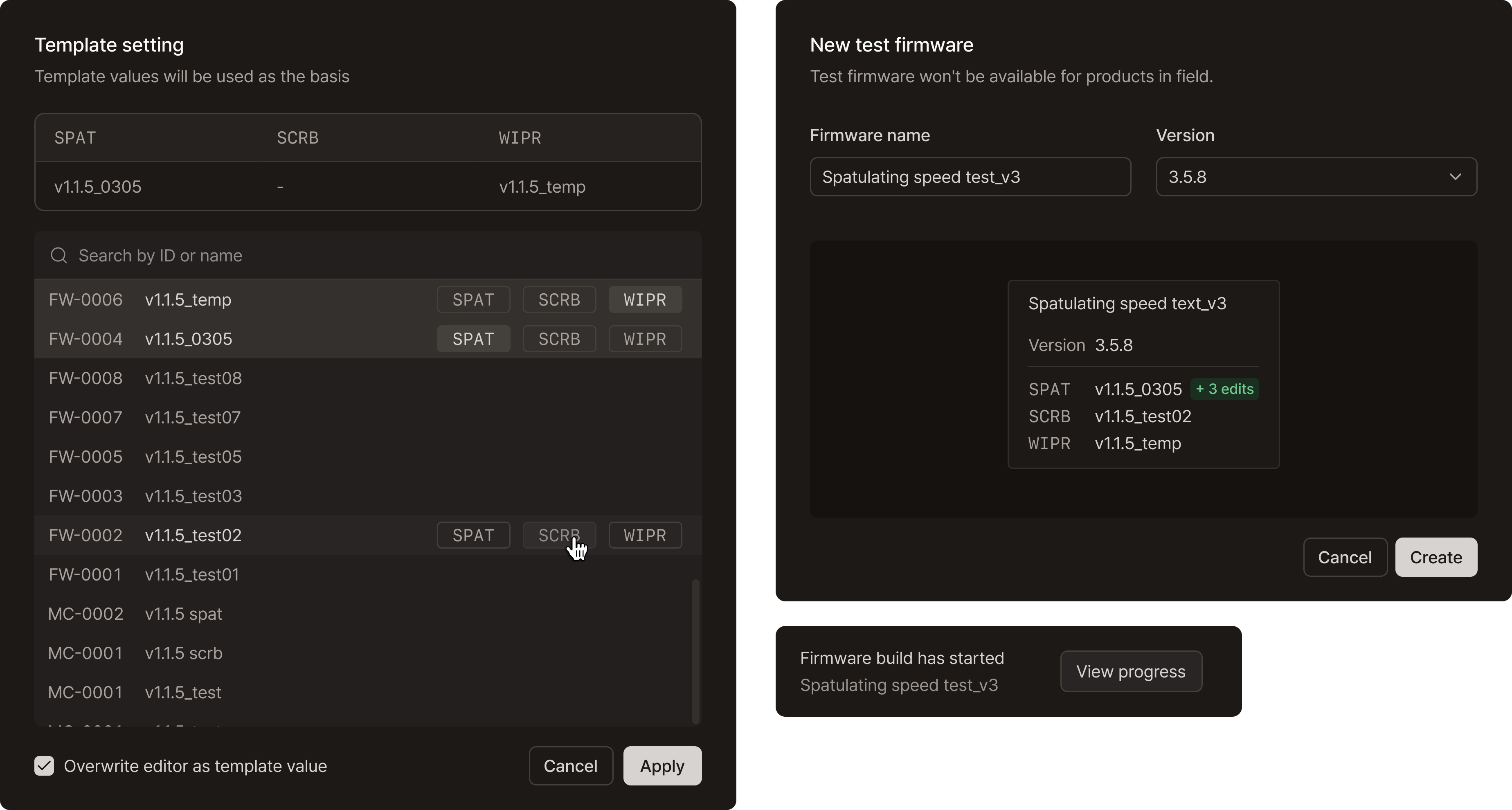
Making firmware parametric solved this problem. The firmware editor exposes frequently adjusted parameters in a structured interface. The layout mirrors a spreadsheet, allowing test engineers to scan and modify values quickly with keyboards[1].
An information panel provides guidance for each parameter, helping users adjust configurations without guesswork.
This feature significantly reduced the time required to create test firmware. What previously took 2–3 business days now takes about five minutes. As a result, the number of tests conducted in the same time span increased by 3x.
Timely robot upgrades are critical. Customers expect smooth updates without downtime. As production scaled and multiple robot versions emerged, coordinating updates became increasingly complex.
Updates involved many teams — robot engineers, product managers, manufacturing, and field service. The process needed a shared system everyone could rely on.
Managing updates at the level of individual robots did not scale. With the new update managing feature, updates were instead organized by robot group. Each hardware version became a single source of truth, replacing the scattered, robot-by-robot approach.
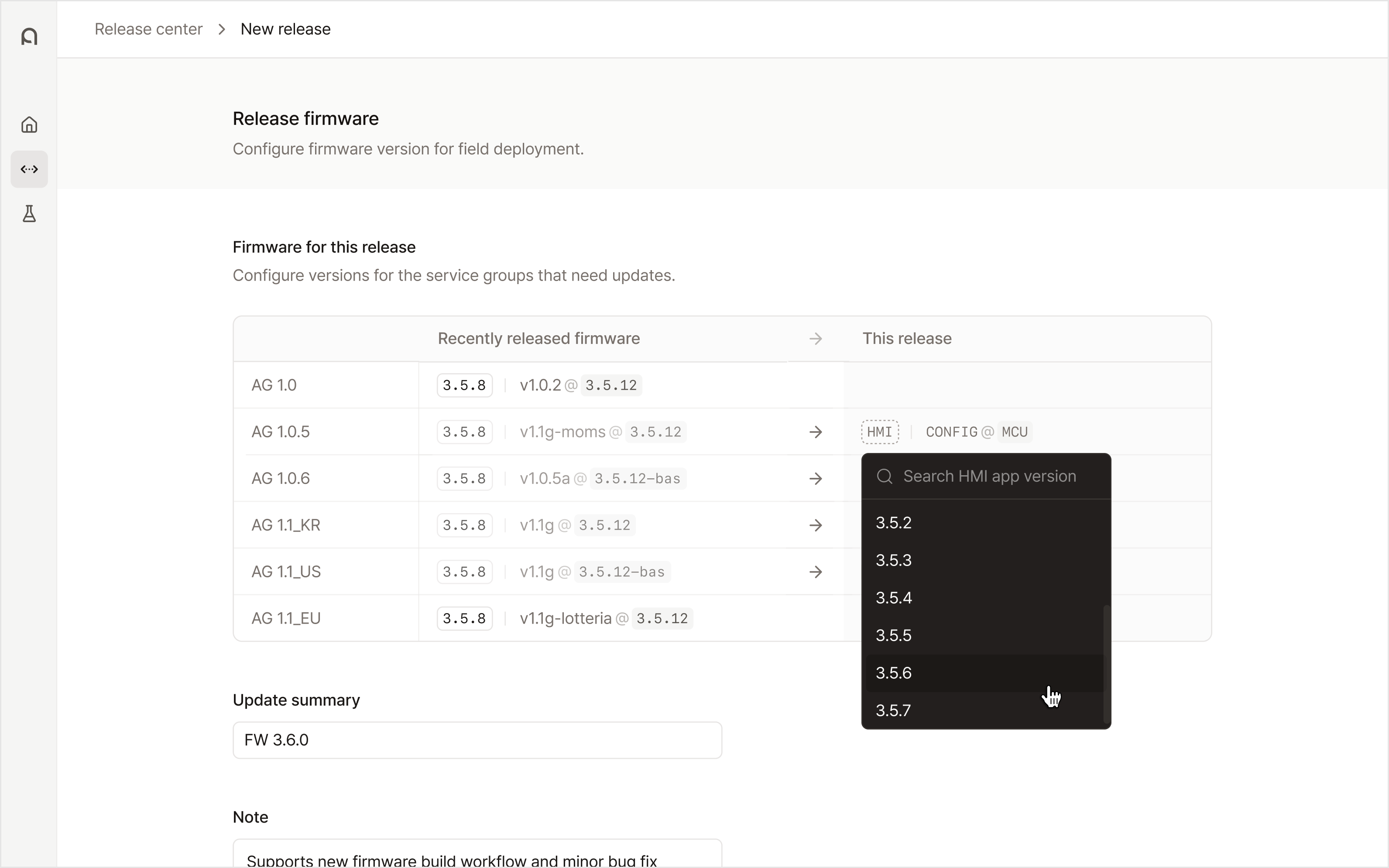
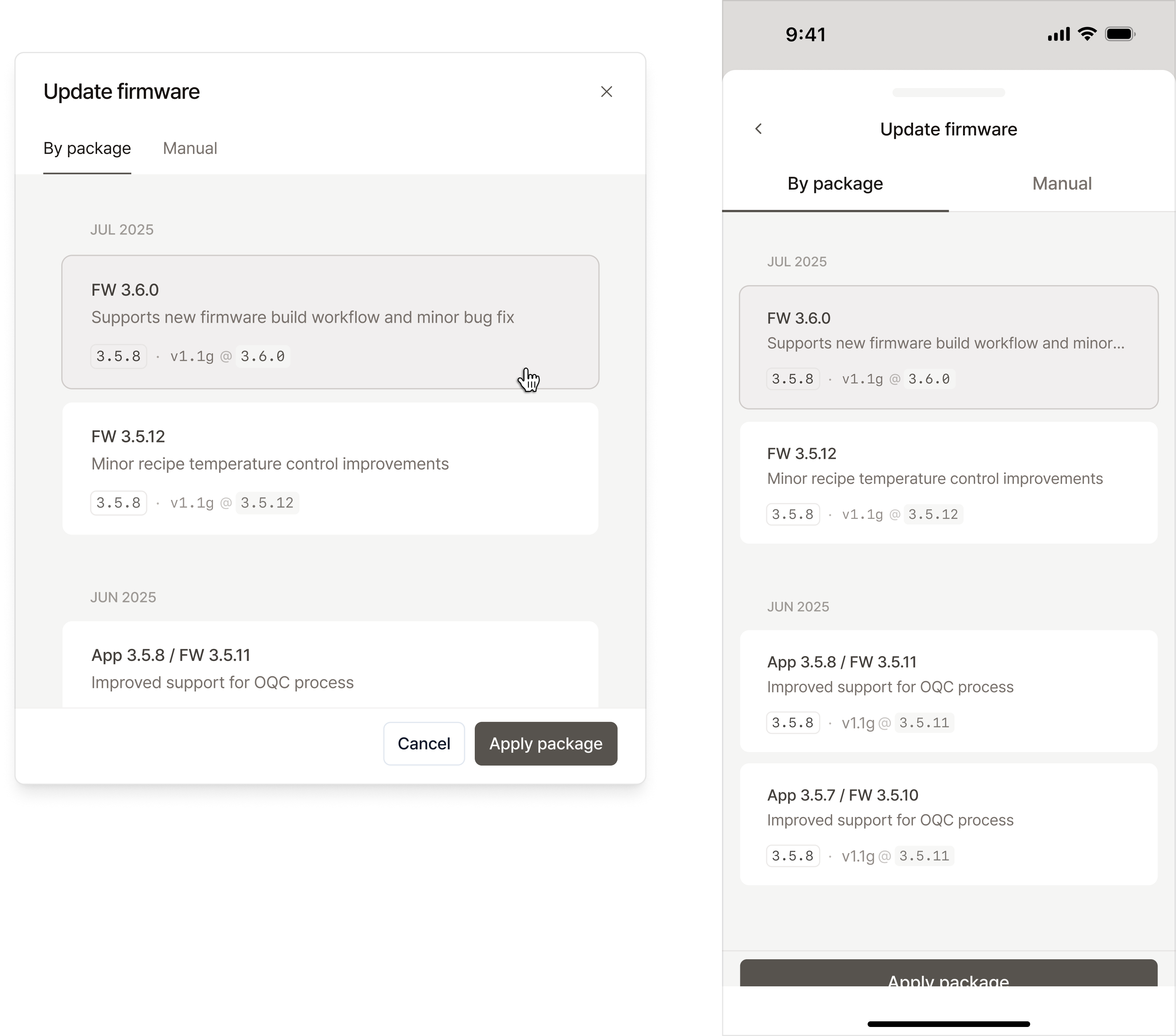
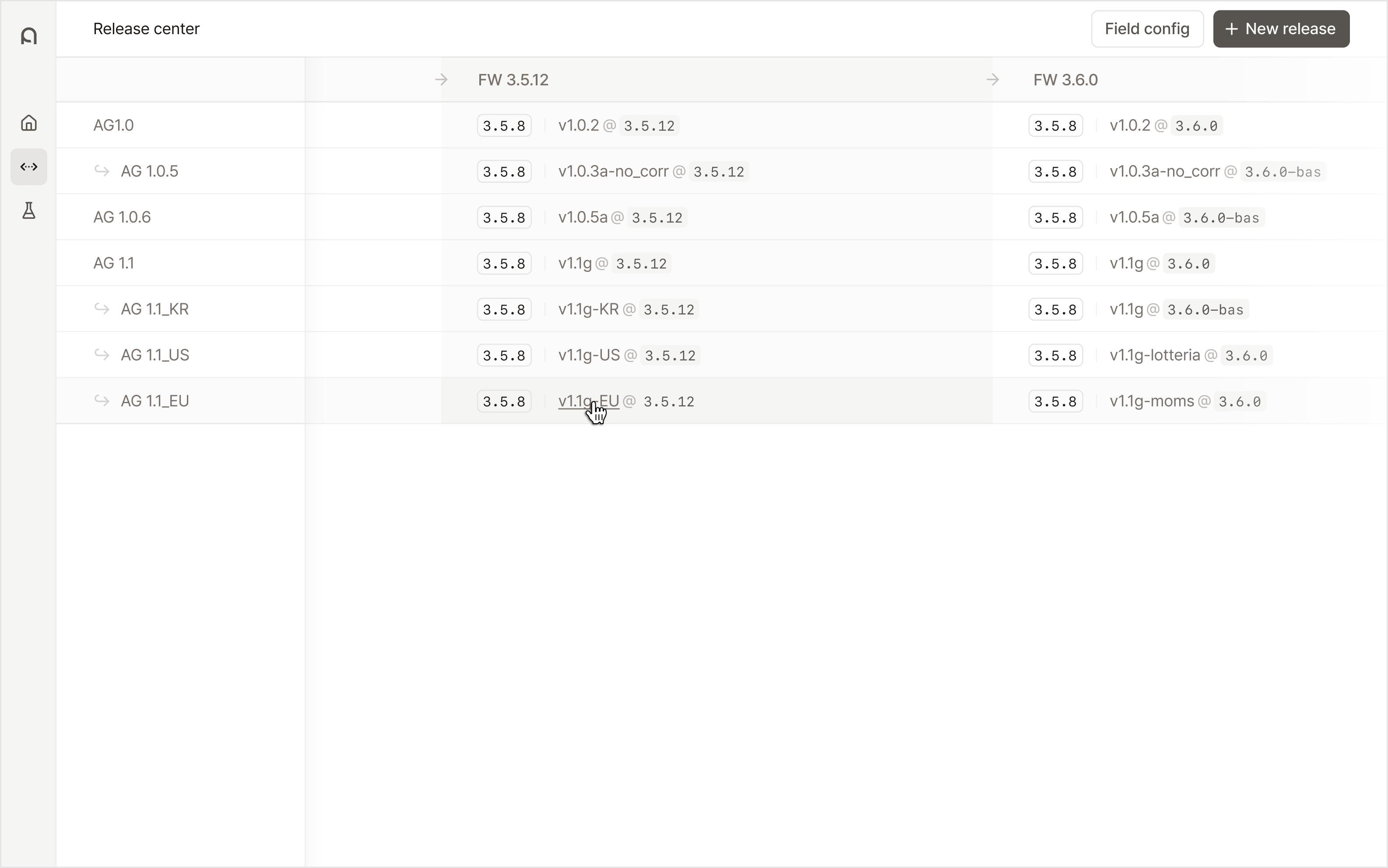
A key design challenge was making the update status easy to understand for all stakeholders. Software names and versions were difficult to parse at a glance. The interface focuses on scannability. A structured table layout and clear typography make update plans easy to read and compare[2].
The design emphasizes transparency and predictability, allowing updates to scale smoothly across teams. Update errors dropped from 5% to 0%.
Beyond shipping features, I worked closely with engineers to establish a design system with essential components for our internal tools.
As a two-person team (designer and software engineer), we built on top of shadcn and tailored it to our product needs. This approach let us move quickly while maintaining consistency.
In about a month, we documented foundational tokens and built 14 production-ready React components.
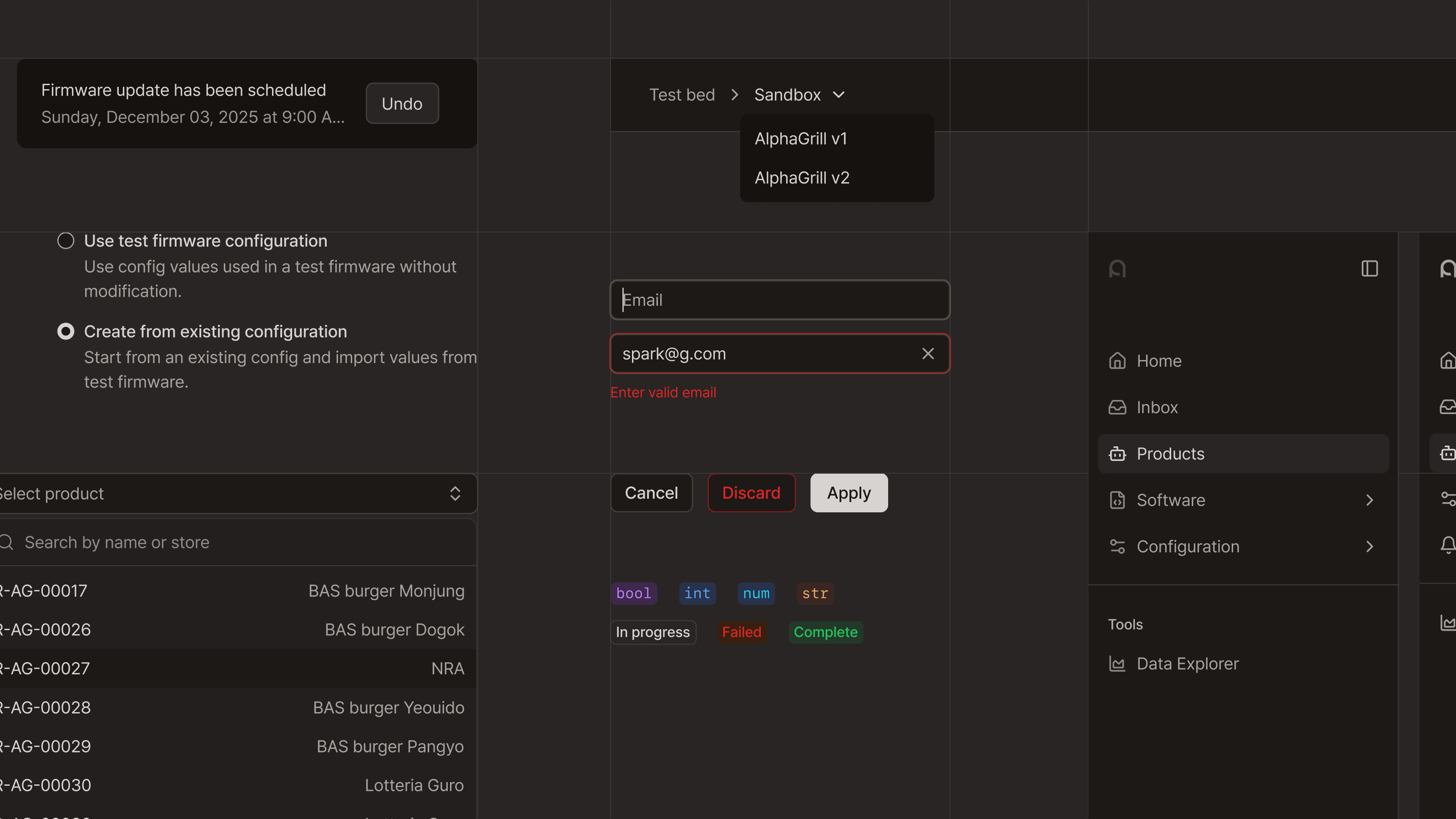
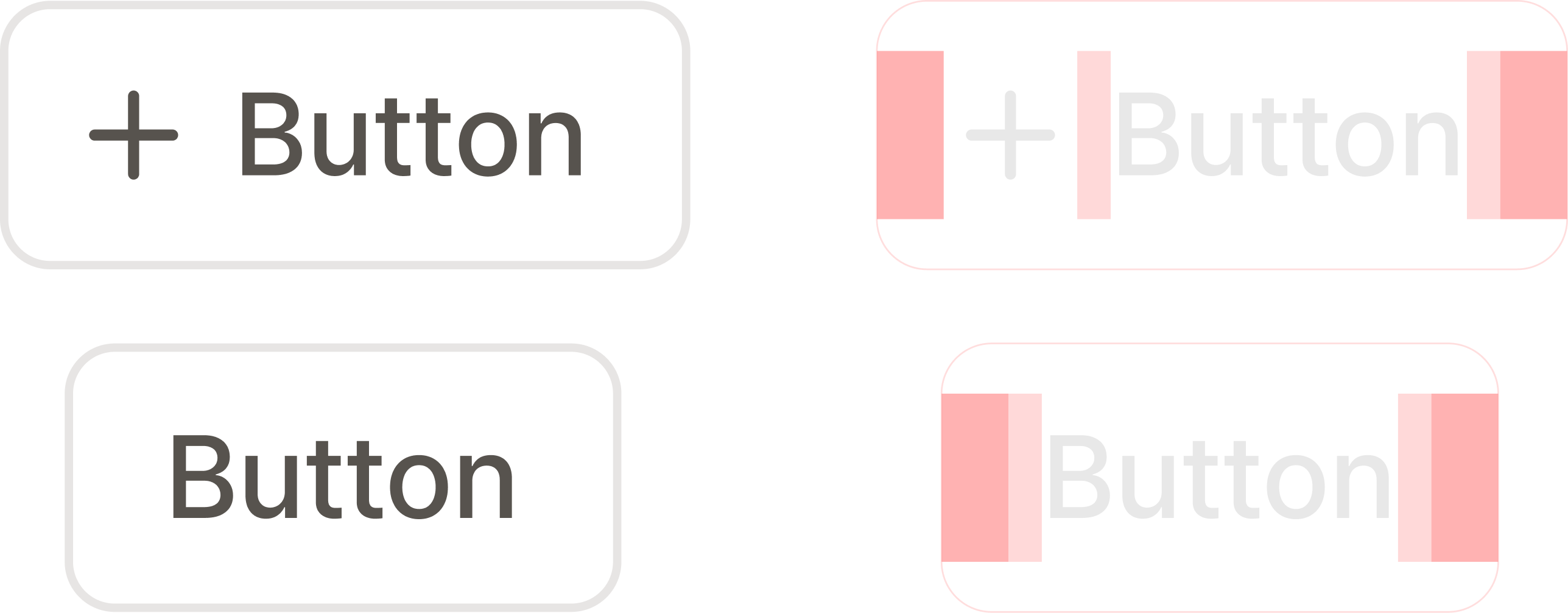
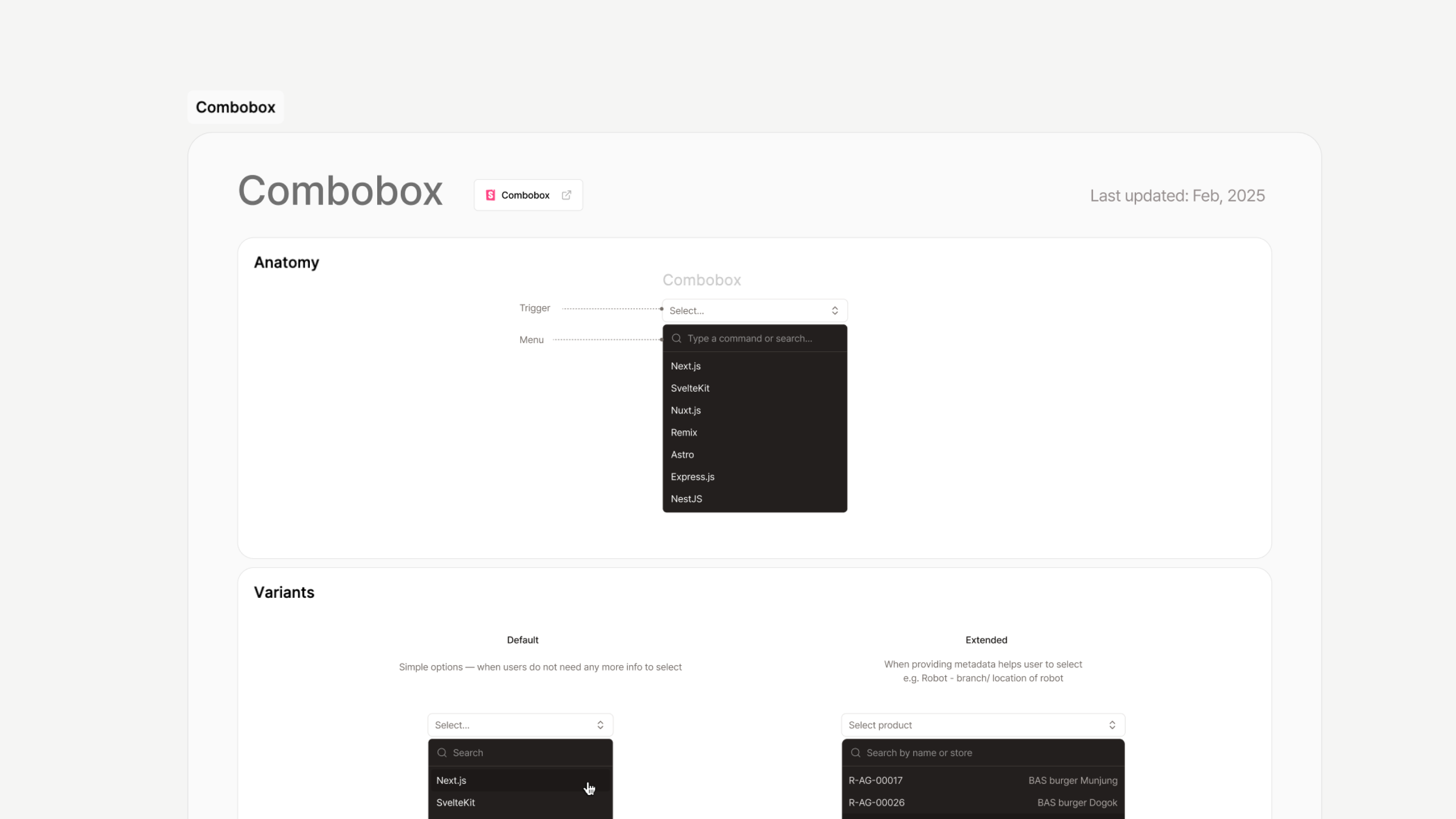
The system was designed primarily for robot engineers, our core users. High information density was essential. Typography, spacing, and color were refined to support readability and consistency across tools.
This system gave the team a reliable foundation. Interface development became faster, and product experiences remained consistent as the toolset expanded.
Building internal tools used across the company pushed my system thinking to a new level. Robot development is complex, and every workflow is tightly interconnected.
This also meant coordinating many stakeholders, each with different priorities and constraints. As the sole designer, I often had to advocate for the role of design — not just as visual polish, but as a system that shapes how teams collaborate and make decisions.
Over time, this perspective gained strong support and helped establish design as part of the product development process.